Browse in incognito,
keep everything you find
Open links in incognito windows, save and organize tabs and notes, and loop any YouTube segment — all from one privacy-first extension.
Free to install · Works fully offline · No account needed to get started
Everything in one extension
A privacy-first home for the tabs you open in incognito, the notes you take, and the videos you loop.
Open in incognito
Send any tab to an incognito window in one click — no traces left in your history.
Save & organize tabs
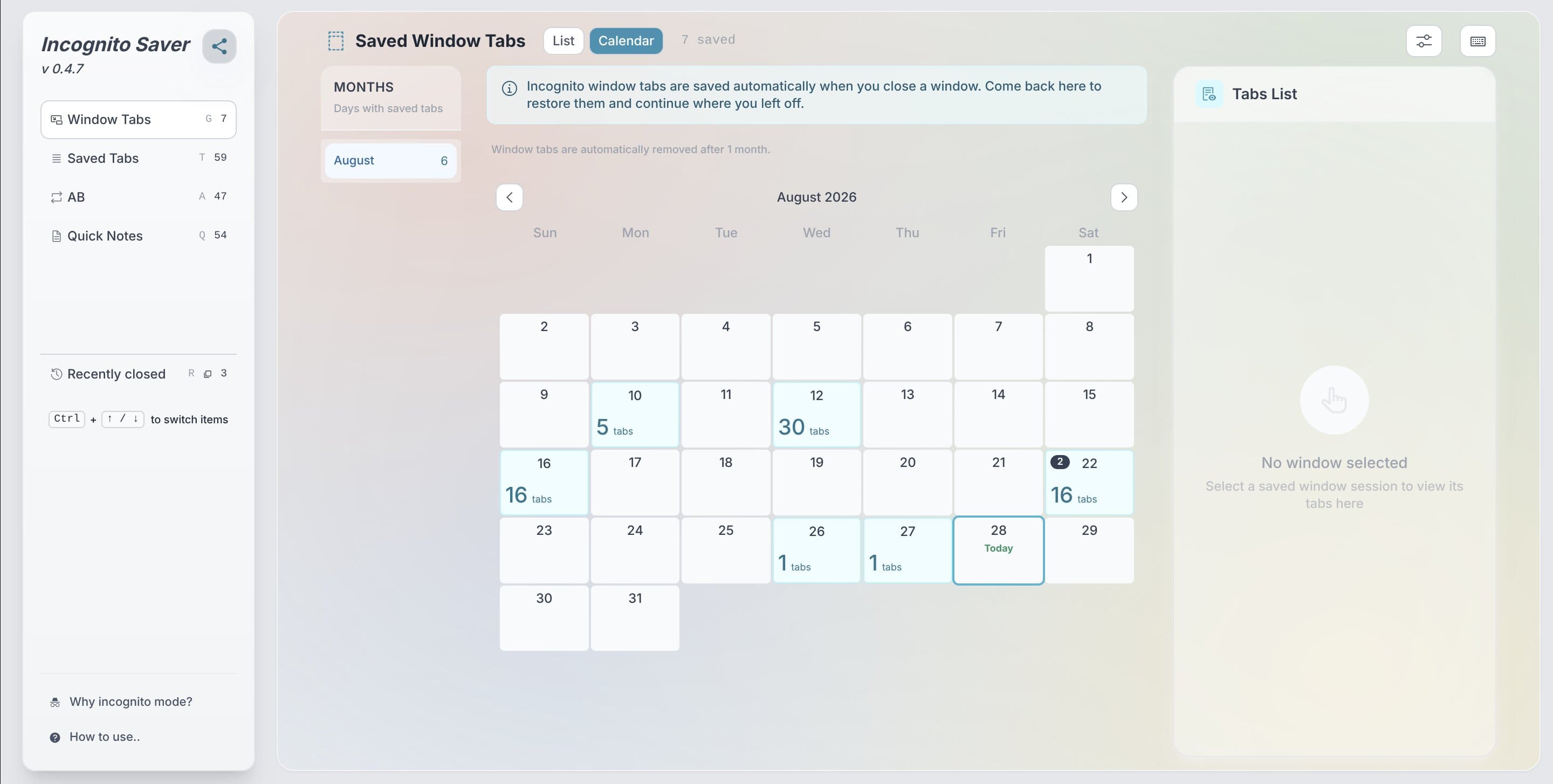
Stash tabs by category, restore them anytime, and keep whole window sessions ready.
Notes & A-B loops
Take quick tagged notes and loop any YouTube segment with start/end markers and fades.
Simple, honest pricing
Free forever for local use. Upgrade when you want your data to follow you everywhere.
Free
$0 / forever
- Persisted incognito tabs
- Notes with tags & folders
- YouTube A-B looping
- Window sessions & history
- Local & private by default
Pro
$3.99 / month
$29.99 / year ⭐ Recommended
- Everything in Free
- Unlimited usage
- Cloud sync across browsers
- Export & import your data
- Priority support
* Fair-use limits apply — free quotas reset monthly and are admin-configurable. See Privacy Policy.
Frequently asked questions
Do I need an account to use the extension?
No. Everything in the extension — incognito tabs, notes, A-B loops and window sessions — works fully offline and is stored locally in your browser. An account only unlocks syncing and the Pro plan.
How does signing in work?
Create an account with your email and a password (at least 8 characters). The same email and password work on the web app and the Chrome extension.
Where is my data stored?
Your extension data is stored locally in your browser by default. The web app stores only your account email, sign-in sessions and subscription status. Cloud sync (Pro) stores your notes, A-B loops and saved tabs on our server so they follow you across browsers — see the Privacy Policy for details.
What does Pro include?
Pro gives you unlimited usage and cloud sync: your persisted incognito tabs, notes with tags & folders and YouTube A-B loops are kept in sync across every browser you sign in to. You also get priority support. Free stays free forever for local use.
How do I cancel or get a refund?
Open Account → Manage billing (also reachable from the extension) to cancel from the Lemon Squeezy portal — it takes one click and you keep Pro until the end of the paid period. Refunds are handled by Lemon Squeezy; contact us and we'll point you to the right place.
I forgot my password — what now?
On the sign-in page click “Forgot password?”, enter your email and we’ll send you a reset link. It expires in an hour. Still stuck? Contact support and we’ll sort it out.